
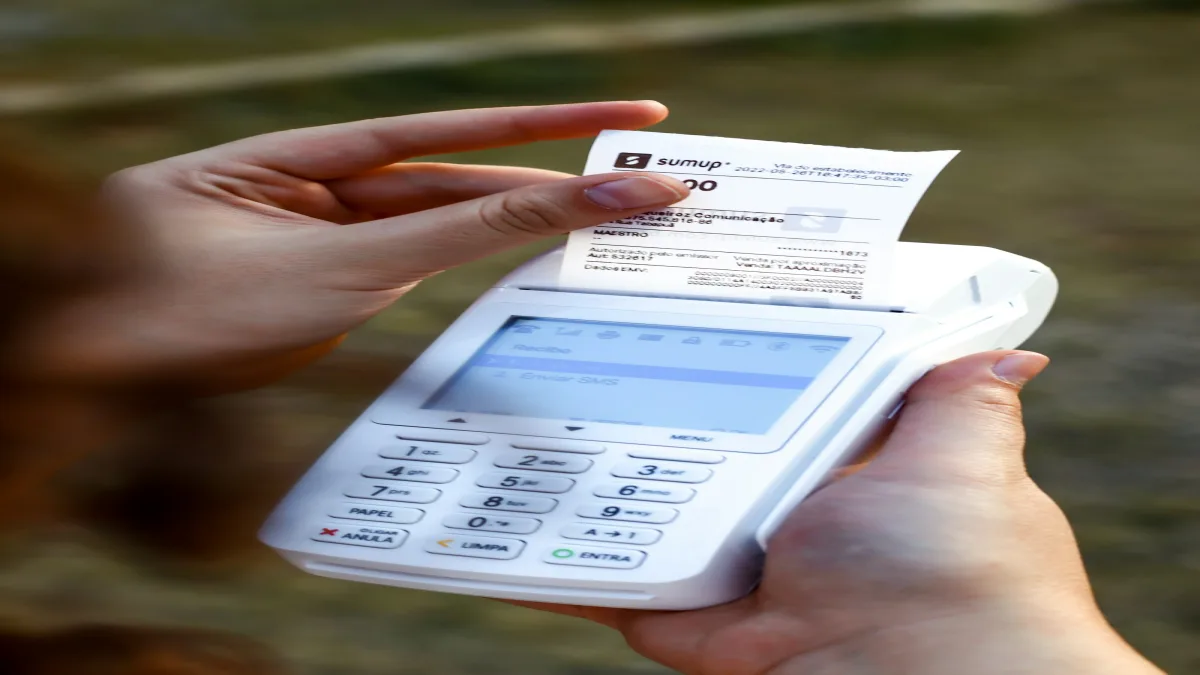
Receipts are a weak point in many travel budgets. They are easy to lose, hard to read later, and often contain more information than the one number you need. A restaurant bill may include a subtotal, tax, service charge, tip, multiple currencies, and several people sharing the same meal.
A receipt scanner can reduce the typing, but the best workflow is not “take a photo and trust every field.” It is “capture the receipt, turn it into a draft expense, review the important fields, and connect the expense to the right budget category or travelers.”
Key takeaways:
- A useful scanner should identify the total, date, currency, and merchant context.
- Image quality and receipt layout affect every scanning system.
- AI extraction should create a reviewable draft, not an unquestioned final record.
- Categories and participant data make a scanned receipt useful for planning.
- Keep the original receipt or a note when the expense may need to be checked later.
What a travel receipt scanner should capture
The fields that matter most for a trip budget are usually:
- total amount;
- original currency;
- purchase date;
- merchant or a short description;
- likely category;
- tax, tip, or service charge when the distinction affects the total;
- payer and participants for a shared expense.
Not every receipt will provide every field clearly. A faded thermal receipt, a handwritten note, an unusual layout, or a photo taken in low light can make extraction uncertain. The purpose of scanning is to create a structured starting point, not to pretend that an imperfect image contains perfect data.
Why receipts matter more during travel
Travel compresses many different kinds of spending into a short period: trains, cafés, museums, taxis, groceries, data plans, laundry, and group meals. The volume is higher, the currencies may change, and you may not recognize every merchant when you look at a bank statement later.
Scanning helps preserve the context while it is still available. A quick photo can be more useful than a vague note that says “food, maybe Tuesday.” It also gives the group a shared reference when one person paid for a bill that several travelers used.
Prepare the image before scanning
Good input improves review time. Place the receipt on a flat surface, include all four corners when possible, avoid glare, and take the image in enough light to separate the paper from the background. If the receipt is long, make sure the total and date are not cut off.
Do not photograph private payment details unnecessarily. Crop or cover card numbers and other sensitive information when they are not needed for the expense record. A travel receipt generally needs the merchant, date, amount, and currency—not a full payment credential.
Review the fields that change your budget
After an AI-assisted scan, check the fields in this order:
- Total: confirm whether the total includes tax, tip, or service charges.
- Currency: verify the currency symbol and the actual currency used.
- Date: correct the purchase date if the receipt was uploaded later.
- Category: make sure the expense affects food, transport, activities, or another intended budget.
- Payer and participants: add the people who paid or benefited from a shared bill.
This review is especially important when a receipt mixes languages, uses a comma as a decimal separator, or contains several plausible totals. TripBudgy's receipt scanner feature is intended to speed up this capture-and-review workflow.
Connect scanning to category budgets
Scanning is only valuable if the result reaches the part of the budget where you make decisions. A restaurant scan should affect food. A metro ticket should affect transport. A museum receipt should affect activities. If every scan lands in an unspecified category, the app may store the history without helping you plan.
Use a small, stable category set and correct the category whenever the suggestion is wrong. Consistent categories make a daily review faster and reveal patterns across the trip.
Use receipts for shared costs
For a group meal, the receipt is the starting point, not the final split. After scanning, confirm who paid and who joined the meal. A shared expense tool can then calculate the balances without making the group read the receipt again.
If one receipt covers personal and shared items, add a note or split the expense so that the participants can see why the total was assigned the way it was. Clarity is more valuable than squeezing every item into one record.
A practical scan-and-review routine
| Step | Action | Result | | :--- | :--- | :--- | | Capture | Photograph the full receipt in good light | A usable source image | | Extract | Let the scanner create a draft | Less manual typing | | Verify | Check total, currency, date, and category | Fewer budget errors | | Share | Add payer and participants when needed | A clear group balance | | Store | Keep the receipt or note for unusual costs | Easier later review |
Frequently asked questions
The main idea
A travel receipt scanner should remove repetitive typing while keeping the traveler in control. Capture the image, review the fields that influence the budget, assign the right category and participants, and keep context for unusual costs. Used that way, scanning is part of a reliable expense-tracking routine—not a promise that every receipt can be interpreted perfectly.